
Hypic

security verified
McAfee
F-Secure
Adblock
Hypic
Hypic is a famous editing app that helps users enhance their photos. It makes beautiful portraits, adds artistic effects, and prepares images for social media. The app combines traditional editing tools with AI-powered features. So users can make different changes without professional photography skills. The key feature of this application is its combination of portrait retouching, creative filters, ready-made templates, and AI effects. You can start with a normal photo and change its look to match your preferred style. For example, you can make a soft portrait, create a cinematic landscape, or get an aesthetic image for your social media profile. Moreover, the app is also suitable for those who want a simple editing process. You don’t need to tweak each parameter by hand. Just pick an effect that works and tweak the output with the controls.
What Does Hypic App Do?
Hypic APK Download photo editing is an easy process. Choose an image from your device, select the editing tools you want, adjust the available settings, and save the result. The interface combines the various editing options so you can switch between retouching, filters, and creative effects without having to keep switching between separate applications. When you open a photograph, you can do simple adjustments or explore more advanced features. For example, you could correct the overall look of an image before applying a filter. You can then touch up the portrait, apply an AI effect, or use a template for a particular look. The tool one chooses will dictate the editing process. Some effects are instantaneous, while AI-powered features might need a connection to the internet and some extra processing time. After you finish editing, you can save the result and use it in a post or personal photo collection.
User Interface and Editing Experience
Hypic Download APK has brought together all its editing options in a visual interface that makes it easier to play around with styles. Users simply choose a photograph and check out the tools available without needing to know much about advanced photo editing. This makes the app perfect for beginners who want to improve their images without the need to learn complicated software. Your mileage may vary, depending on the device and type of edit. Basic tweaks feel faster than AI effects. AI effects take longer to process. Large photos and complex transformations can also take up more memory and processing power. Another nice feature is the ability to play around before saving. You can try different effects and find the one that looks best. However, it can take time to explore the available options, especially if you have never used an AI photo editor before.
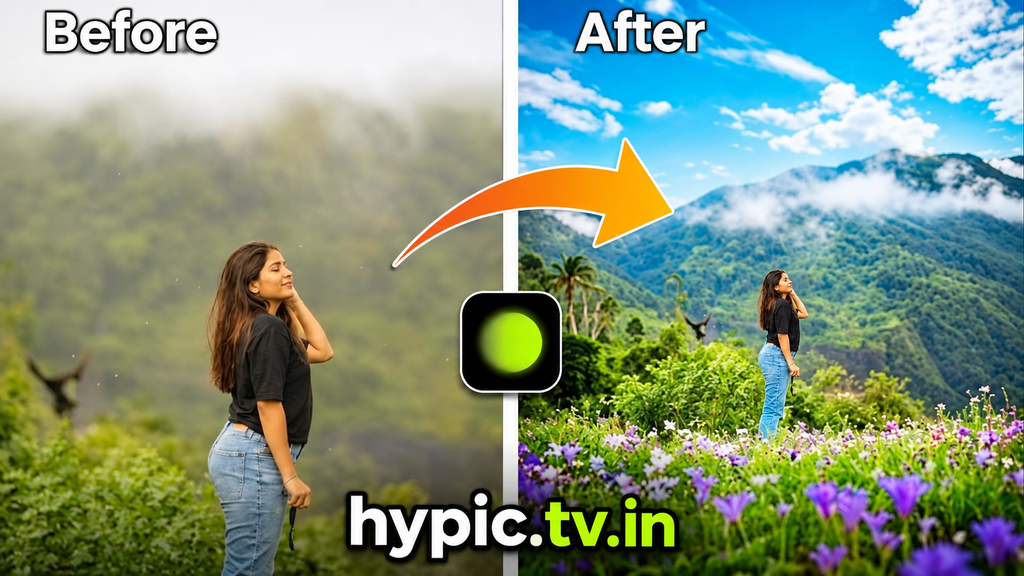
How to Edit Photos with Hypic?
Once you have learned the basic editing workflow, it is easy to use Hypic 4.9 0 APK Download. You don’t have to use every effect in the book; just select the tools that work for your photograph and make adjustments step by step. The exact interface may vary between versions. Some AI tools might also need an internet connection, extra permissions, or a premium subscription.
- Once you have installed the app on your Android device, start it.
- Pick a photo from your gallery and grant the required photo access.
- Choose filters, retouching, image adjustments, or any of the AI effects available.
- Modify the strength of the effect or adjust individual settings where possible.
- Take a look at the before and after to see if the changes look natural.
- Use the save or export feature to save the final image.
Hypic App Features
AI Photo Editor
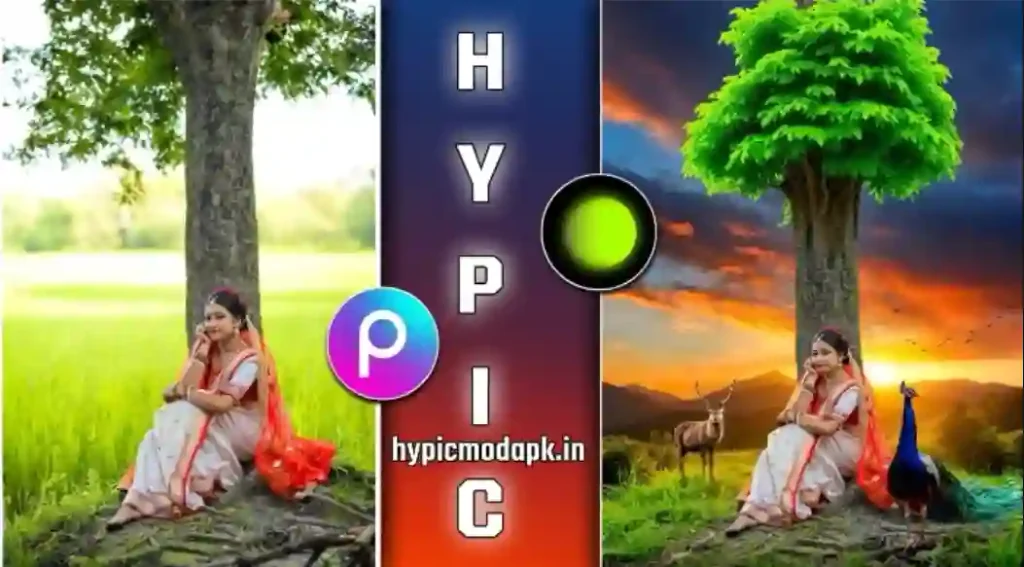
The AI editing tools help users change normal pictures into more creative images. Depending on the options available, you can use artistic styles, change the overall mood of a photograph, or play with effects that alter its appearance. These tools are great when you want to make a noticeable change without having to tweak every little detail yourself.
Portrait Retouch
Portrait retouching in Hypic Mod APK is useful for perfecting selfies and other photos with people in them. Available controls can improve the look of skin, adjust facial features, and make a more proportionate appearance. These tools are useful for profile pictures, personal portraits, and social media content. The best way is to make small adjustments and not to use all effects at their strongest settings.
Aesthetic Filters
Filters change the colours, contrast, and look of a photo. With creative styles, Hypic Download can make images softer, warmer, more dramatic, or more suited for a certain social media theme. You can try different filters before you select which fits your picture. A warm filter can be great for portraits outdoors, but a cooler one may be better for cityscapes or evening shots. The result also depends on the original lighting, so the same filter can look different on two different images.
Editing Background
Background editing is a method of improving the setting around a subject. Depending on the tools your version has, you might be able to remove unwanted objects, adjust the background, or expand an image to make a better composition. These kinds of tweaks can make a photo look cleaner and more balanced. For instance, you may wish to remove distractions in the background of a person or add padding around an image for a social media layout. After editing, check the edges of the subject. Complex backgrounds and fine details can sometimes produce imperfect results.
AI Effects & Art Styles
AI effects let you play with visual transformations that are beyond colour correction. There are tools that allow you to give a photo a more artistic look or to experiment with styles created for creative portraits and social media content. These effects are useful if you want something other than a conventional photograph. But not all styles of Hypic – Photo Editor & AI Art will work for every image. Try out a few and compare results before you save your final version. Some advanced effects may require extra processing or access to a paid feature.
Ready-Made Templates
Templates are a nice way to generate images with a consistent look. You can select a good layout and put your photo in, rather than starting from scratch. Some templates are for social media posts, photo collections, stories, and other creative projects. This feature of Hypic Photo Editor can help beginners achieve nice results with less effort. Templates are particularly handy if you want a few images to share a similar visual theme. Some templates/premium designs may require payment, and availability is subject to change.
Enhancing Image Quality
Image enhancement tools can improve the overall look of a photo. Depending on the controls available, you can fine-tune the brightness, contrast, colour balance, and other visual details. These can be useful if a photo is too dark or too flat, or just slightly different from what you remember the scene to be. Enhancement works best when you change gradually. Too much contrast and you lose detail in the shadows. Too much brightness, and the lighter areas look washed out. Compare the edited picture with the original and save the edited picture if you feel that the changes have improved the image.
Bulk Editing
When you need to work with multiple images, batch editing can make photo preparation more convenient. Where supported, it helps you apply selected adjustments or editing operations to multiple photographs instead of repeating the same process for individual photographs. This can be useful for content creators who prepare a lot of images for one post or maintain a consistent look for a photo collection. Then check each edited image afterward because lighting and colours can differ between photos. One picture may not have the effect of a certain setting as another picture does.
Make a Collage
Hypic App Download has creative ways to arrange images. It has collage-related tools. A collage is a way of combining multiple photos into one composition instead of posting each photo separately. This is great for travel memories, event highlights, daily photo collections, and themed social media posts. When creating a collage, pick images that fit together in terms of colour, subject, and general style. A simple layout is frequently cleaner than one with too many decorative elements. Depending on the version you install, the layouts and customization options available may vary.
Preparing Images for Social Media
The app gives you tools to prep your photos for social media. It combines filters, retouching, templates, and other creative tools. You can create profile pictures, edit selfies, set a unified visual theme, and generate images that fit the style you want to project online. Check the image size and composition for your target platform before publishing. Leave important details visible after cropping, and avoid over-editing of faces and backgrounds. A photo with too many effects is not usually as attractive as a well-balanced photo.
Pros and Cons
Pros
- It’s an app that blends photo editing with AI effects.
- Offers portrait retouching and creative filtering.
- Includes templates for a variety of visual styles.
- Helps beginners edit photos without any professional skills.
- Supports creative social media content.
- With free editing options.
- Users can preview different effects before saving.
Cons
- Some tools and effects cost a lot.
- AI processing may take time or require an internet connection.
- Results may differ depending on the original photo.
- Heavy retouching can make portraits look fake.
- Performance can be lower on older or less powerful devices.
How to Download Hypic APK?
- Go to your browser and search for Hypic Download.
- Find a comparable version and select a release you like.
- Before downloading, verify the publisher, version information, Android requirements, and file format.
- If a reliable source provides a download option, follow the instructions for downloading the installation file.
- Find the downloaded file in the Downloads folder on your device.
- If the APK file is compatible, open the APK file and follow the Android installation prompts.
- If Android prompts you to allow it to install apps from that source, do so if you trust the source and have verified the file.
- Ensure that you have sufficient free space on your device.
- Open the file and follow the instructions for installation.
- Instead of disabling device protections indiscriminately, if Android blocks the installation, read the security message.
- Once installed, launch the app and check if editing tools are functioning properly.
Frequently Asked Questions
Is Hypic a good photo editor?
If you want AI effects, portrait retouching, creative filters, and templates in one app, this app is a good choice. It’s particularly good for photos on social media. Best results depend on your editing preferences, device performance, and access to required features.
Can I use Hypic without an internet connection?
Yes, you can use it offline. Some basic editing functions may be available offline, but features powered by AI and content online may require an internet connection.
Does Hypic offer a premium version?
Yes, Hypic also has in-app purchases and subscription options for some features. The free tools are still handy for basic editing, but some of the more advanced effects or content will require payment.
Is Hypic APK safe to install?
The safety of an APK depends on the source, integrity, and permissions. Use a reputable archive. Check the publisher and file details.
Is Hypic available on PC?
Hypic is primarily a mobile photo editing app. To run its Android version on a PC, you may need a compatible Android environment, and performance or feature availability may vary.
Can I remove objects from photos with Hypic?
The app is AI-powered and has editing capabilities. Depending on the current version, there might be object removal or similar tools. The results will depend on the complexity of the background.
Conclusion
Hypic Photo Editor is an all-in-one mobile app with AI editing, portrait retouching, filters, templates, and other creative tools. It lets beginners and everyday content creators upgrade photos without the need for advanced image editing skills. It can be used for selfies, touch-ups, playing around with artistic styles, enhancing images, and preparing content for social media. The app also has its limitations. Some advanced features are paid. Some AI tools need an Internet connection. Editing performance differs from device to device. Make moderate adjustments and compare your edits to the original images for best results. Review privacy settings before working with sensitive photographs. If you want to install it through a website, be sure to check compatibility and availability for release. Before you install, check the file details and avoid unofficial modified packages that promise features for no payment.